

Campaigns
Campaigns are custom groups of ads used for consolidated statistics collection and management.
Campaign Statistics
Campaign statistics are available in the Campaigns tab.
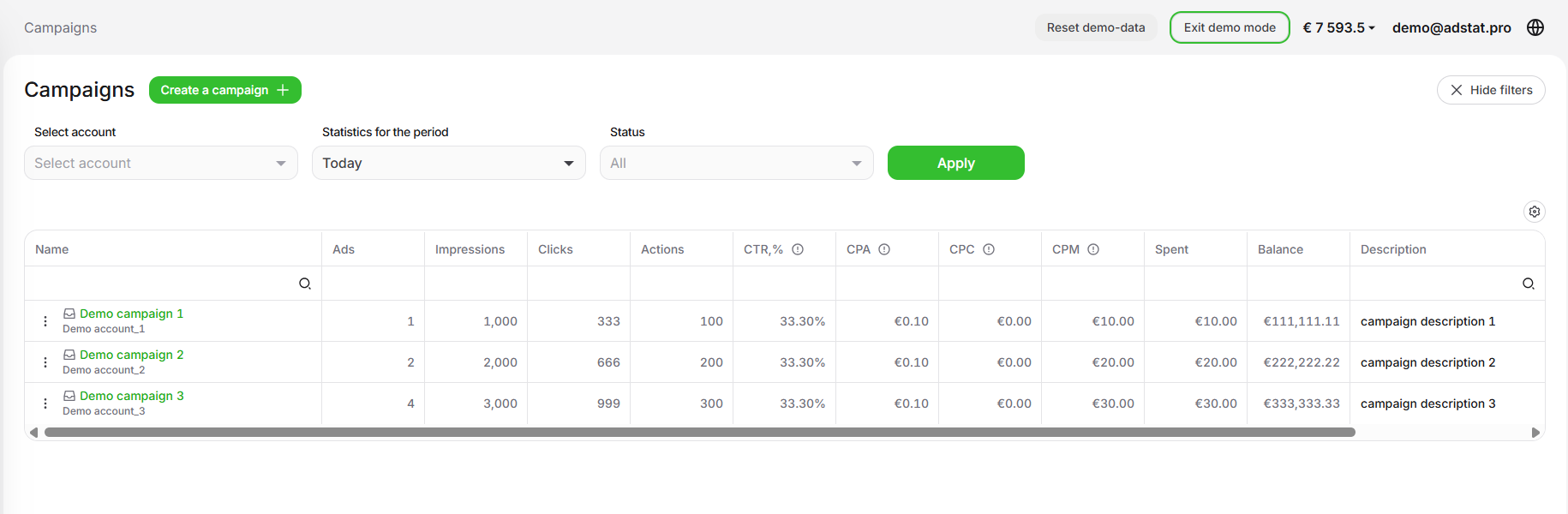
In the campaign list, statistics can be grouped by:
- Telegram Ads account
- period
- campaign status
Campaign Statistics Columns
The campaign table contains the following columns:
- Name — the custom campaign name specified when creating or editing the campaign.
- Ad — the number of ads grouped into the campaign.
- Impressions — the number of impressions for ad placements inside the campaign.
- Clicks — the number of clicks on ad placements inside the campaign.
- Actions — the number of completed key actions for ad placements inside the campaign.
- CTR % — click-through rate for ad placements inside the campaign. Formula:
Clicks / Impressions × 100. - CPA — cost per action across all ad placements inside the campaign. Formula:
Spend / Actions. - CPC — cost per click across all ad placements inside the campaign. Formula:
Spend / Clicks. - CPM — cost per 1000 impressions. The table shows the average value across all ad placements inside the campaign.
- Spend — total spend for ads inside the campaign.
- Balance — the budget amount distributed across ads inside the campaign.
- Description — the custom campaign description specified when creating or editing the campaign.
- Status — active or inactive. Shows whether ads have budget available.
Deleting a Campaign
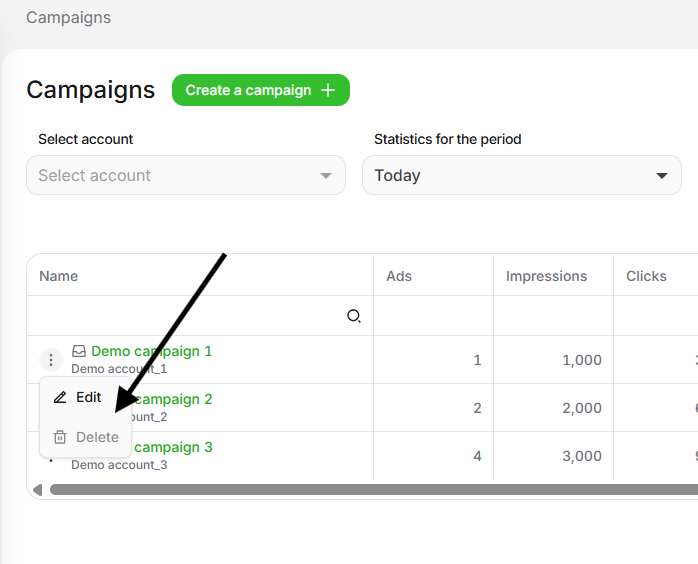
To delete a campaign, first remove all ads from it. After that, use the delete action in the Campaigns tab.
Campaign Creation Process
To create a campaign, fill in the creation form.
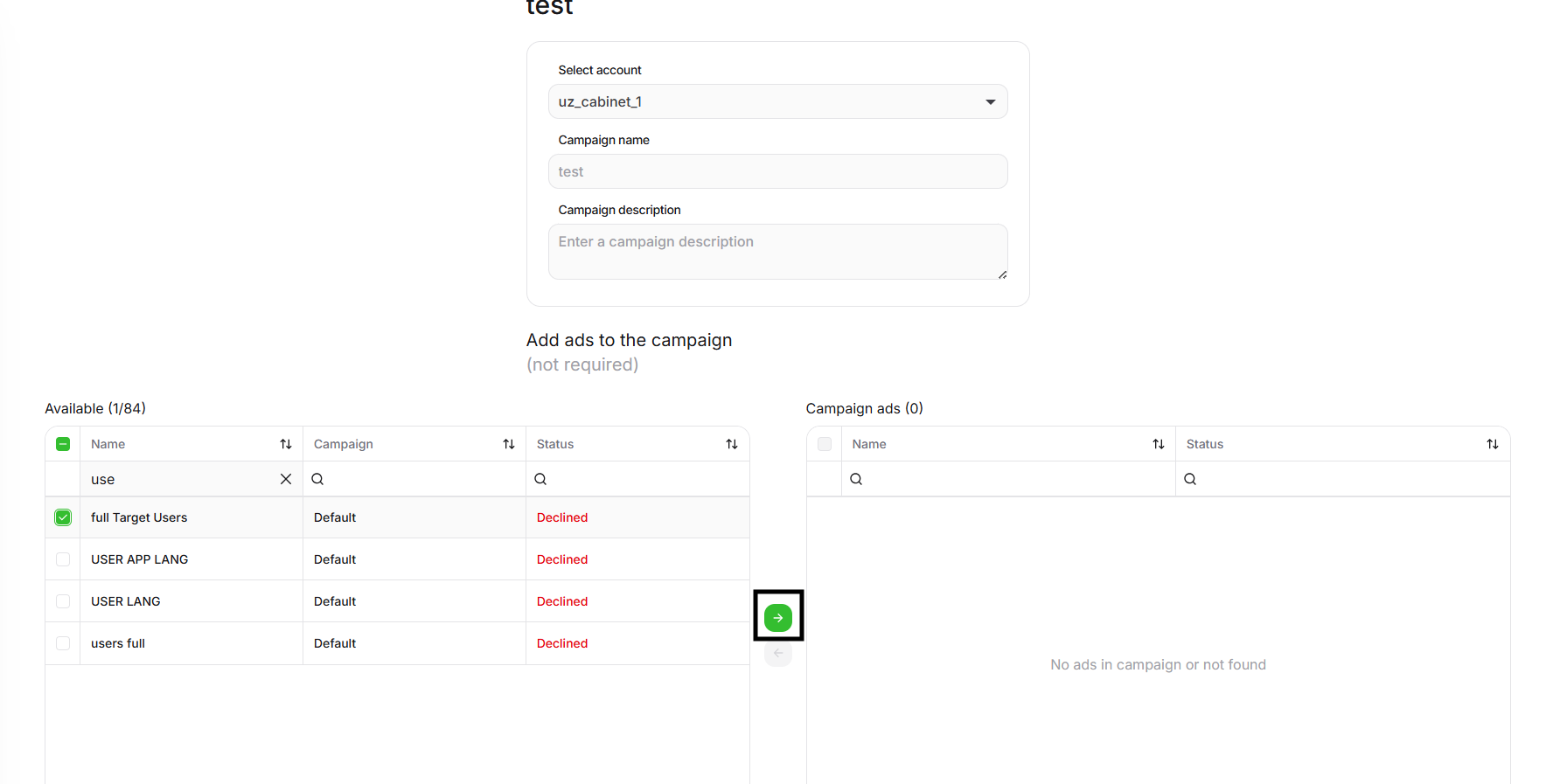
The form includes:
- Telegram Ads account — the account whose ads should be grouped into the campaign.
- Campaign name — a custom name used to identify the campaign.
- Campaign description — a custom description.
- Available ad placements — the list of ads that can be added to the campaign.
- Selected ad controls — arrow buttons for moving selected ads from Available to In campaign and back.
- Ads in campaign — the list of ad placements added to the campaign.
Binding a Strategy
You can additionally bind a strategy to a campaign. It will apply to all ads inside the campaign.
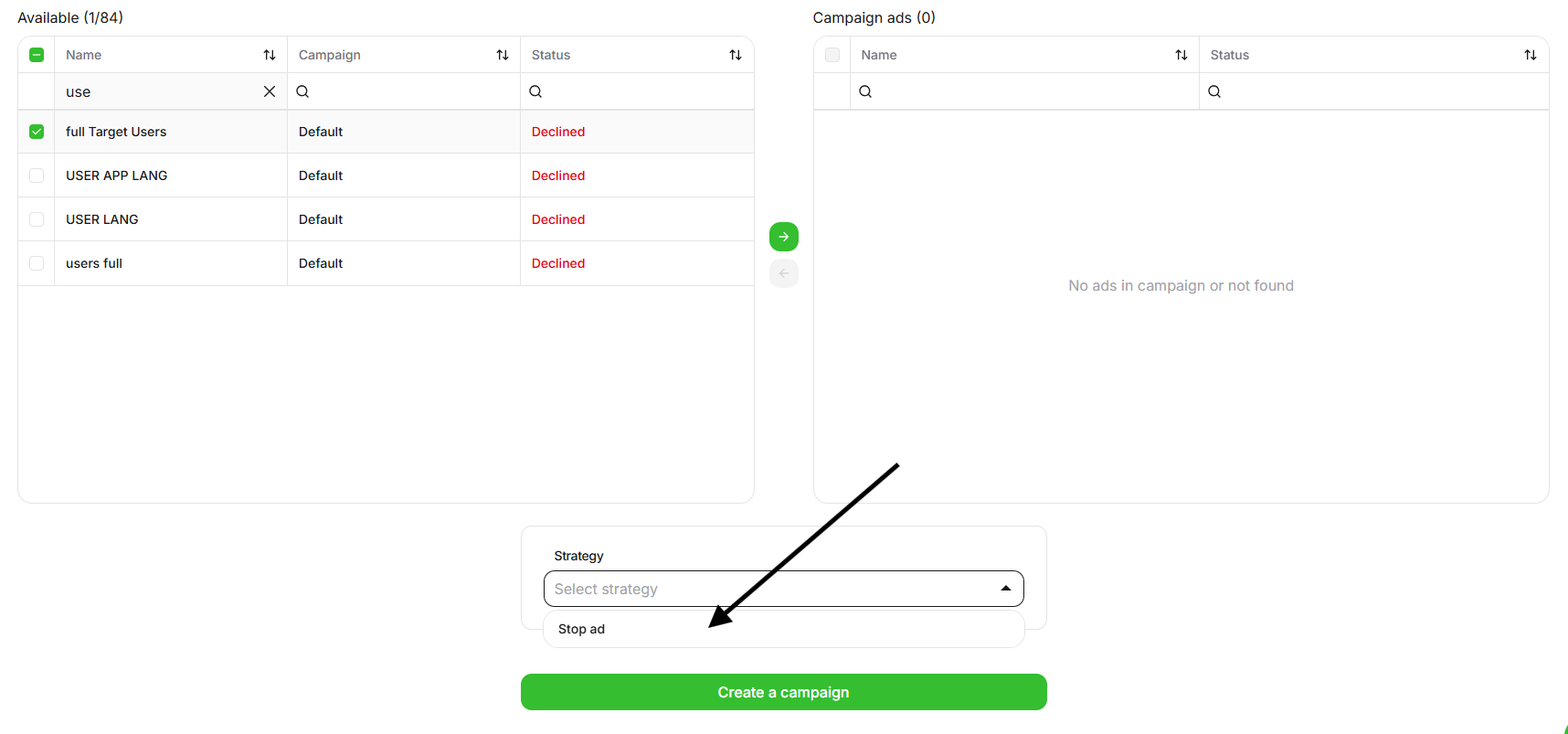
After completing the setup, click Create campaign. The campaign will be saved and will start appearing in statistics.